
iOS
iPhone · iPad- Requirements
- iOS 14 or later
- Size
- Approx. 45 MB
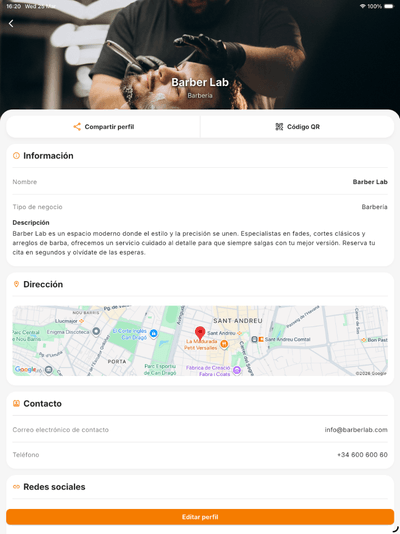
Optimized for iPhone, iPad, and notched devices.
Use Bookniapp on mobile or web and keep your operation in sync in real time.
One account, real-time sync across every team device.
Optimized for iPhone, iPad, and notched devices.
Works with Samsung, Xiaomi, Google Pixel, OnePlus, and most manufacturers.
Best for reception desks, salon PCs, or team laptops.
Built for professionals and teams who book appointments every day: hair salons, clinics, studios, wellness centers, and more.
Create, move, or cancel appointments from your phone with instant sync across every team device.
Your public booking page goes live instantly so customers can book from Instagram, Google, or your own website.
Push reminders before every appointment for both clients and team, configurable to the minute, with zero manual action.
Assign professionals, set real service durations, and track revenue per completed booking.
Every Monday, get a weekly balance in-app: bookings, revenue, occupancy, and comparison with the previous period.
Configure once and let it repeat weekly. Students sign themselves up and the system blocks when full.
From the App Store or Google Play, or open the web app directly. No card required to get started.
Sign up in under 1 minute with email or Sign in with Apple / Google. Set business name and time zone.
Define real durations, professionals, and time slots. Shared resources (rooms, basins, cabins) are configured here too.
Paste it in your Instagram bio, Google Business profile, and WhatsApp. In under 5 minutes you can receive your first online booking.
Yes, downloading is free on the App Store, Google Play, and the web version. The single plan is €30/month per business with no booking commissions.
No. Your clients book through a web link in seconds with no install. You only need the app if you manage a business. The mobile version is for professionals and teams.
Bookniapp requires iOS 14 or later for iPhone and iPad, and Android 8.0 or later (API 26+) for Android devices. The web app runs in any modern updated browser: Chrome, Safari, Firefox, or Edge.
Yes. Sync is real-time. You can run reception from a computer with the web app while team professionals work from their phones. Changes appear instantly on every device.
Under 5 minutes for a working basic schedule. Full setup with services, team, hours, and the public booking link takes 15-30 minutes. No technical skills or installer required.
The app needs connectivity to sync bookings in real time with your team and clients. In spotty-coverage areas it stores changes locally and syncs when connection returns.
Yes. You can export bookings, clients, and services in standard formats (CSV) anytime from the web app. Bookniapp complies with GDPR and respects your data-portability right.